Solution guide · Websites & SEO
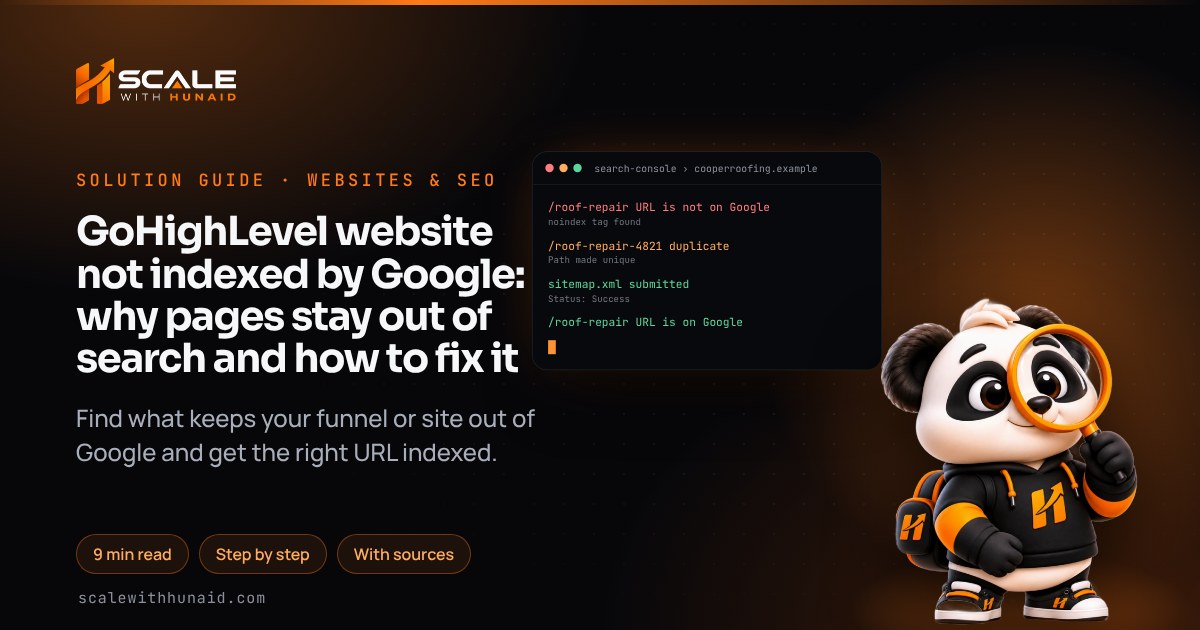
GoHighLevel website not indexed by Google: why pages stay out of search and how to fix it
GoHighLevel website or funnel not indexed by Google? Find the noindex tag, duplicate URL or missing sitemap that blocks it and fix it, step by step.

Key takeaways
- Start in Google Search Console: the URL Inspection tool and Page indexing report tell you the exact reason a GoHighLevel page is not indexed, so you fix the real cause instead of guessing.
- The most common GoHighLevel causes are a robots noindex custom meta tag left on the page, duplicate URLs (random numbers on the path, or one step reachable at two URLs), and no XML sitemap for the domain.
- HighLevel adds a random number string to a funnel path when that path is already used on the same domain; give the step a unique Path, and add a canonical tag when one page loads at two URLs.
- Generate the sitemap under Settings → Domains → Manage → Connected Products → ⋮ → XML Sitemap, then submit it in Search Console’s Sitemaps report.
- Google says recrawling can take a few days to a few weeks, and requesting indexing again for the same URL does not make it faster.
When a GoHighLevel website or funnel is not indexed by Google, the cause is nearly always on your side and nearly always findable in ten minutes. HighLevel pages are indexable by default. What keeps them out of search is usually a noindex tag someone added, two URLs serving the same page, no sitemap, or Google deciding a thin page is not worth indexing yet.
This guide starts with the diagnosis in Google Search Console, because Google tells you the exact reason. Then it works through each GoHighLevel cause with the fix: the menu paths, the tag values and the order to do things in. It is the same checklist I run when I build or rescue funnels and landing pages for clients. Menu names are correct as of November 2026.
Why a GoHighLevel website is not indexed: ask Google first
Don’t guess. Google’s URL Inspection tool shows whether a single URL is on Google, which canonical Google picked and why it was excluded. The Page indexing report shows the same reasons for the whole site. The status you see points straight to the fix:
| Search Console status | What it means | Usual GoHighLevel cause | Fix |
|---|---|---|---|
| URL is unknown to Google | Google has never seen the URL | No sitemap, no links to the page | Cause 1: verify and submit a sitemap |
| URL marked ‘noindex’ | Google found a noindex rule and obeyed it | A robots custom meta tag left on the page |
Cause 2: remove the tag |
| Blocked by robots.txt | Google is not allowed to crawl it | A robots.txt rule on the domain | Cause 2: remove the block |
| Duplicate, Google chose different canonical than user | Google indexed another URL instead | Random numbers on the path, root vs step URL, www vs non-www | Cause 3: one URL per page |
| Discovered – currently not indexed | Google knows the URL but has not crawled it yet | New site, few links | Cause 4: sitemap, links, patience |
| Crawled – currently not indexed | Google crawled it and chose not to index it | Thin or near-identical pages | Cause 4: improve the page |
- 1Verify the domainA Domain property, verified by DNS.
- 2Inspect the URLRead the exact reason Google gives.
- 3Remove stray noindexCheck the page’s custom meta tags.
- 4One URL per pageUnique paths, canonicals, redirects.
- 5Submit the sitemapGenerate it in HighLevel, submit once.
- 6Request indexing onceThen wait days to weeks.
Fix: get the diagnosis.
- In Search Console, add a Domain property for
yourbusiness.com(not a URL-prefix property). Google says a Domain property can only be verified through DNS, and it covers every subdomain and both http and https, sowww, the root domain and any funnel subdomain all show up in one place. - Copy the TXT record Google gives you and add it at the DNS provider your nameservers point to (often Cloudflare, not the registrar). Google says a new record can take up to 48 hours to be served, so wait before clicking Verify again.
- Paste the exact URL of the missing page, including
https://and the path, into the inspection bar at the top of Search Console. - Click Test live URL. Read the Page indexing section: whether crawling and indexing are allowed, the User-declared canonical and the Google-selected canonical.
- Match the status to the table above and go to that cause.
Cause 1: Google has not found the pages yet
A brand-new GoHighLevel site often has nothing pointing to it. No sitemap, no Search Console property and no links means Google has no reason to visit. Google calls a sitemap the best way to ask it to index many new or updated pages at once.
Fix: generate the XML sitemap in HighLevel and submit it. HighLevel’s XML Sitemaps article gives this path:
- Go to Settings → Domains (newer accounts label it Domains & URL Redirects), or click the gear icon in Sites.
- Click Manage on the far right of your domain. The Connected Products page opens.
- Click the three dots (⋮) next to the website or funnel and choose XML Sitemap.
- Click Add New if no sitemap exists. Tick only the pages you want in Google. Ticking a website or funnel’s name adds all of its pages. Click Proceed.
- Click Generate & Save. HighLevel confirms it and shows the sitemap URL, normally
https://yourbusiness.com/sitemap.xml. - If you run a HighLevel blog, add it too: select the blog home and blog posts and generate the sitemap. HighLevel says it then updates each time you publish a post.
- In Search Console, open Sitemaps, paste the sitemap URL and click Submit. Come back the next day and confirm the status reads Success.
Leaving a page out of the sitemap does not hide it. HighLevel notes that search engines can still crawl pages that are not listed. If you change the sitemap path, resubmit it.
Cause 2: a noindex tag or robots.txt rule is blocking the page
HighLevel documents no site-wide “discourage search engines” switch for funnels and websites (WordPress sites have one), and users on the HighLevel ideas board have asked for one. The only way to hide a page is the custom meta tag HighLevel documents: name robots, content noindex (or name googlebot for Google only). The trouble is that tags travel. Clone a funnel, import a snapshot or copy a page that was hidden on purpose, and the tag comes with it.
Fix: find and remove the tag.
- In Search Console, inspect the URL and click View tested page → HTML. Search for
noindex. If it is there, the page is telling Google to stay away. - In HighLevel, open Sites → Funnels (or Websites), open the funnel and the affected step, and go to its Settings → SEO Meta Data.
- In the custom meta tags area, delete any tag named
robotsorgooglebotwith the contentnoindex. Click Update SEO Meta, as the Custom Meta Tags article describes. - Check Custom Head Tracking Code in the same panel for a pasted
<meta name="robots" content="noindex">line, and remove it. - Save and publish the step, then run Test live URL again. Indexing allowed? should now read Yes.
- Repeat for every step and page in the funnel. Thank-you and order-confirmation pages can keep their noindex.
Cause 3: duplicate URLs, so Google indexes the wrong one
GoHighLevel can serve one page at more than one address, and Google then chooses for you. Three patterns cause most of the “Duplicate, Google chose different canonical than user” reports I see:
- Random numbers on the path. HighLevel says it adds a unique number string when the path is already used by another page or funnel step on the same domain, so
/roof-repairbecomes something like/roof-repair-4821. - Root URL and step URL. A funnel step can load at the root URL and at its own step path. HighLevel’s Google Ads article calls this “two URLs → one page”.
- www and non-www. Both versions resolve, or the wrong one is connected. My domain troubleshooting guide covers connecting both versions.
Fix: give every page one URL.
- Make paths unique. Open the step’s settings, change the Path field to one not used anywhere on the domain, including in other funnels and websites, and save. HighLevel says the number string then stops appearing.
- Add a canonical tag where two URLs must both work. Go to Funnel → Step → Settings → SEO Meta Data → Custom Head Tracking Code and paste:
<link rel="canonical" href="https://yourbusiness.com/roof-repair" />Google asks for an absolute URL, exactly one canonical per page, placed in the head. It also recommends a self-referencing canonical on the preferred page itself. - Redirect old URLs. Where visitors should never see the old address, add a 301 under Settings → Domains & URL Redirects → URL Redirects. HighLevel suggests a canonical instead when several URLs must stay reachable. Google treats a redirect as a stronger signal than the tag.
- List only the preferred URL in the sitemap, regenerate it, and inspect the URL again. The Google-selected canonical should now match yours.
Cause 4: Google crawled or found the page but chose not to index it
These two statuses are Google’s decision, not a setting. Google says “Discovered – currently not indexed” means it knows the URL but rescheduled the crawl, and “Crawled – currently not indexed” does not necessarily need fixing. On GoHighLevel sites they cluster on thin funnel steps: a 40-word opt-in page, five near-identical town pages, an orphaned upsell.
Fix: give Google a reason to index it.
- Decide whether the page should be in Google at all. Thank-you, upsell and booking-confirmation steps should not, so give them noindex and take them out of the sitemap.
- For pages that matter, add real content: what you do, where, prices or process, FAQs and proof. A funnel step built for ads can stay short; a page meant to rank needs substance.
- Merge near-duplicate pages, or rewrite them so each one is genuinely different.
- Link to the page from the main navigation, the footer or related pages, so it is not orphaned.
- Regenerate the sitemap, then request indexing once (next section).
If you need pages that rank as well as convert, a fast standalone site can carry the SEO while HighLevel handles the funnels. That is the split I use for Astro websites.
How to request indexing, and how long it takes
Once the cause is fixed, use the right tool for the number of URLs:
| Method | Best for | Limits (as of November 2026) |
|---|---|---|
| URL Inspection → Request indexing | A handful of key pages | A daily cap Google does not publish; owners or full users only; not allowed if the live test says the page is not indexable (Google) |
| Sitemap in the Sitemaps report | The whole site, or many updated pages | No request limit; Google uses it to discover URLs (Google) |
| Search Console URL Inspection API | Checking status in bulk | 2,000 queries a day and 600 a minute per property; it checks status, it does not request indexing (Google) |
Fix: request it once, then wait.
- Inspect the URL and click Test live URL. Confirm it says the page can be indexed.
- Click Request indexing. Do it once per page; Google says repeat requests for the same URL will not get it crawled faster.
- Allow time. Google says crawling can take anywhere from a few days to a few weeks, and a request does not guarantee indexing.
- Check the Page indexing report weekly. Fixed means the URL shows URL is on Google, the Google-selected canonical matches your preferred URL, and a
site:yourbusiness.comsearch shows the page.
Mistakes that keep GoHighLevel pages out of Google
Stays unindexed
- Avoid: Cloned funnel keeps noindex
- Avoid: Random numbers on the path
- Avoid: Noindex used to fix duplicates
- Avoid: robots.txt block on the page
- Avoid: Request indexing every day
Gets indexed
- Do: Meta tags checked on every step
- Do: One unique path per page
- Do: Canonical or 301 for duplicates
- Do: Crawlable page, tag if hidden
- Do: Sitemap, one request, patience
- Copying hidden pages. Snapshots and cloned funnels carry their custom meta tags. Check SEO Meta Data on every step after an import.
- Changing paths without a redirect. The old URL becomes a 404 that Google keeps recrawling. Add a 301 every time you rename a live path.
- Verifying the wrong property. A URL-prefix property for
https://www.misses the root domain and funnel subdomains. Use a Domain property. - Judging too soon. A page fixed on Monday may still read “not indexed” on Friday. Watch the trend over two to three weeks.
Get your GoHighLevel site into Google
Most GoHighLevel indexing problems come down to the same short list: find the reason in Search Console, remove any stray noindex, give every page one URL, submit a sitemap, and ask Google once. If you would rather hand it over, I build and repair funnels and landing pages with clean paths, canonicals and sitemaps from the start, and I build Astro websites for businesses that need pages built to rank. If the domain itself will not connect, start with my GoHighLevel domain guide. Once pages are indexed and bringing in traffic, make sure the leads are tracked, using my guides to GoHighLevel forms not working and Google Ads conversions not working.

References
- Troubleshooting URL Indexing Issues in Funnels — HighLevel Support Portal
- XML Sitemaps — HighLevel Support Portal
- How to add Blog Sitemap? — HighLevel Support Portal
- Disabling Search Engines from Indexing your Website/Funnel Page using Custom Tag — HighLevel Support Portal
- Custom Meta Tags: Improve SEO and Search Engine in HighLevel — HighLevel Support Portal
- Fixing Google Ads Rejections Caused by Funnel URL Redirects or Extra Paths — HighLevel Support Portal
- Complete Guide to Setting Up 301 URL Redirects in HighLevel — HighLevel Support Portal
- Add noindex option to funnels and sites — HighLevel Ideas
- Page indexing report — Google Search Console Help
- URL Inspection tool — Google Search Console Help
- Verify your site ownership — Google Search Console Help
- Block Search Indexing with noindex — Google Search Central
- How to Specify a Canonical with rel="canonical" and Other Methods — Google Search Central
- Ask Google to Recrawl Your URLs — Google Search Central
- Usage Limits — Search Console API — Google for Developers